
SEO Content Machine turns a list of services and towns into a page plan.
4 services and 10 towns give you 44 pages, planned before anything is written.
Why use this?
- A business with 4 services and 10 towns needs 44 pages. You lose hours if you plan that by hand.
- You see every page in a preview before anything goes into the workspace.
- Each town page sits under its service hub, so the internal links are planned for you.
- An agent researches each page from the search results for that town, not from memory.
- You write and publish 1 page first, check it, then do the rest.
This is for a business that serves customers in named places eg a vet, a plumber or a dentist.
Requires a WordPress site to publish to.
The full steps are in the Local SEO workspace guide.
Enter your services and towns
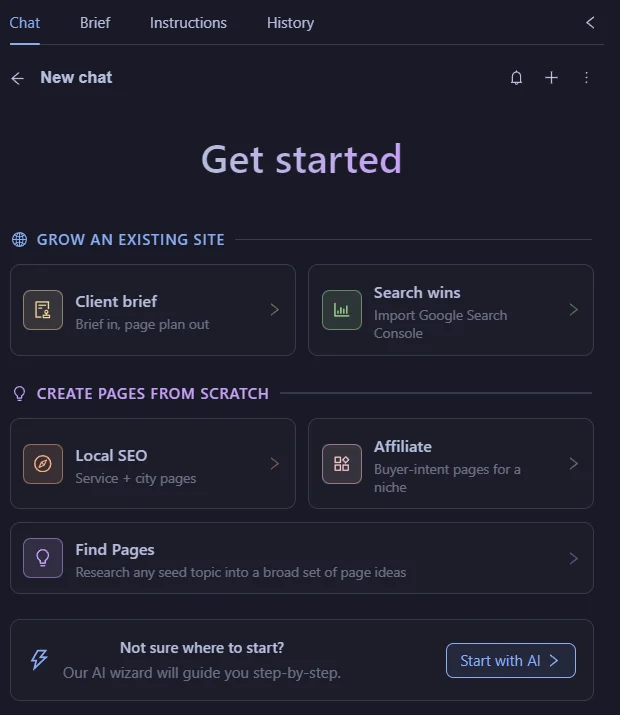
In SEO Workspace, pick ‘Local SEO' under ‘Create pages from scratch'.
Fill in ‘Business', ‘Website' and ‘Local area'.
Type each service and press Enter.
Type each city or town and press Enter.
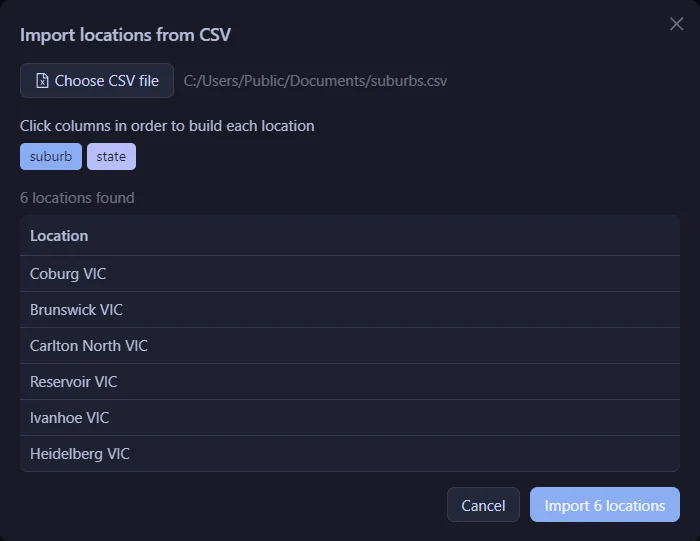
For a long list of towns, click the ‘Import CSV' icon in the ‘Locations' box.
Click the columns of your file in order to build each town name.
Check the pages preview
‘Pages preview' updates as you type.
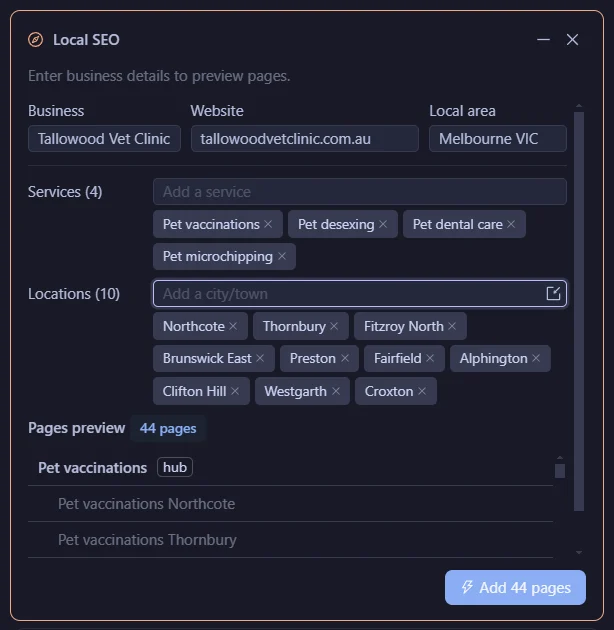
Each service gets 1 hub page.
Each service gets 1 page for every town.
4 services and 10 towns is 4 hubs + 40 town pages.
Duplicate slugs are struck out and skipped.
There are no town-only pages. A bare suburb page is thin.
Click ‘Add 44 pages'.

See the site plan
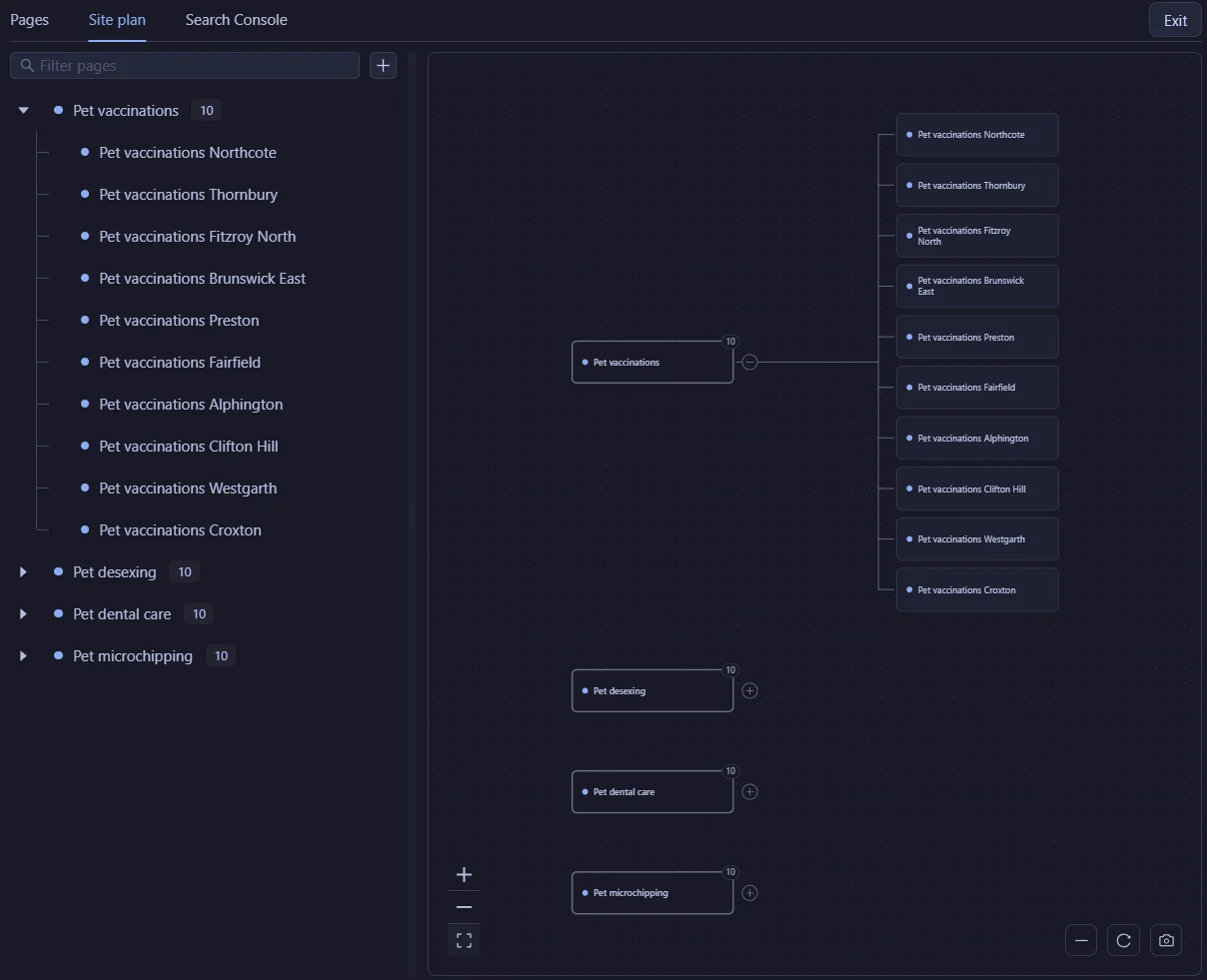
Open the ‘Site plan' tab to see the pages as a tree.
Each service is a branch with its town pages under it.
Each town page links to its hub, and the hub links to each town page.
The page agent writes each page
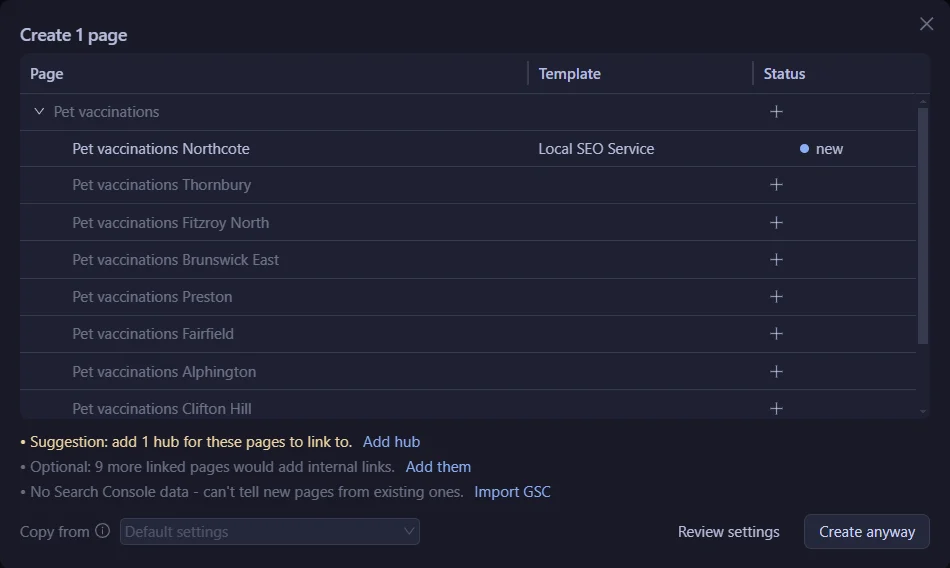
Select the pages in the ‘Pages' tab and click ‘Create pages'.
SCM has already picked the template. ‘Local SEO Service' for town pages, ‘Local SEO Hub' for hubs.
Click ‘Review settings' to see exactly what goes to the AI.
Each page gets its own page agent. It splits the job between 3 sub agents.
- A researcher reads every first-page result for that search and notes where each fact came from. Directories and social sites eg Yelp and Facebook are left out.
- A writer drafts the page from the research. A town page leads with what is specific to that town.
- A reviewer checks the facts and links against their sources. It scores the page on Help, Specifics, Honest, Expertise and Focus.
The writer fixes the page until every score is 8 or more, up to 4 rounds.
Click the ‘N agents' button to open the ‘Agent map' and see what each agent is doing.

SCM writes in the background, so you can keep working.
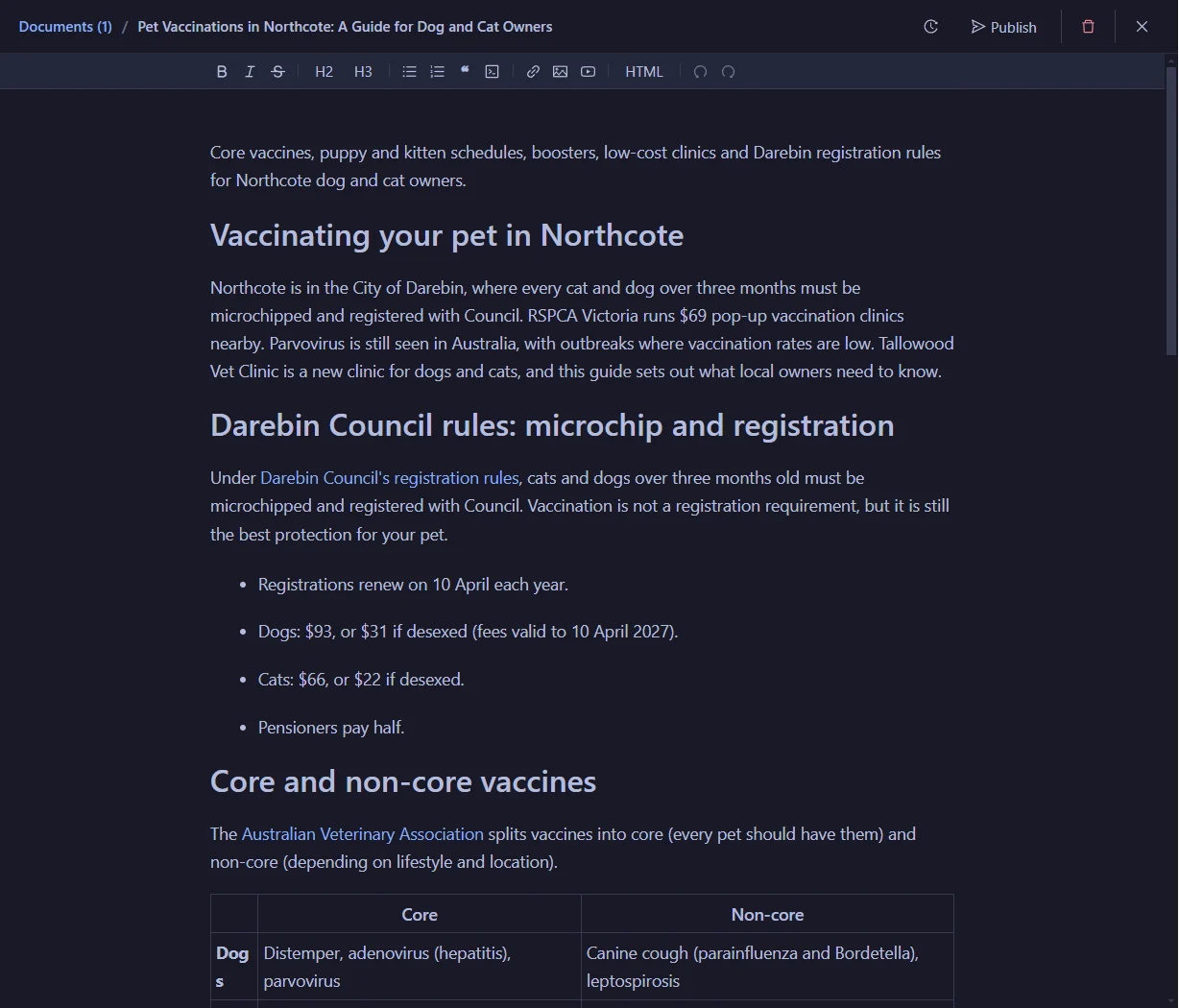
The page status changes to ‘Draft' when the page is done.
Answer what only the business knows
Some facts are on no website.
The agent does not guess them. It files them as questions for you.
They show under the bell icon and on the ‘Questions' button in the ‘Brief' tab.
Answer them once in ‘Workspace questions'.
Every page uses your answers the next time it is written.
Try the Local SEO workflow in the free 14-day trial
Publish to WordPress
Select the pages that have a draft and click ‘Publish'.
Pick a site, then ‘Post type' or ‘Page type'.
Set the status to ‘Draft' to check it in WordPress first, or ‘Publish' to go live.

Once the first page looks right on the site, publish the rest of the branch.
Use your own AI
Pick the writer in ‘AI model'.
Use SCM AI credits, your own key eg Claude, OpenAI, Gemini, OpenRouter or DeepSeek, or a local model in LM Studio.
SCM is a desktop app for Windows, Mac and Linux.
FAQ
Does SCM publish the pages on its own?
It can. Pages you create from the workspace wait as drafts until you click ‘Publish'. For bulk runs, a Page Pipeline that exports to WordPress with ‘Draft first' unticked publishes each page as it finishes.
Can I import my towns from a file?
Yes. Click the ‘Import CSV' icon in the ‘Locations' box.
What if the site already has some town pages?
Connect Google Search Console first. ‘Create pages' then tells new pages from the ones you already have.
Does SCM connect to Google Business Profile?
No. SCM plans, writes and publishes the service and town pages on your WordPress site.
Which sites can I publish to?
WordPress. SCM does not publish to Webflow, Shopify or Ghost.
What does it cost to try?
The trial is free for 14 days and includes 100,000 SCM AI credits. No card.