
SEO Content Machine turns rough client notes into a brief, a page plan and a doc for the client.
3 lines about the client are enough to start.
Why use this?
- The slow part of a new client is everything before the pages: the brief, the research and the plan.
- Rough notes are enough. The agent fills in the brief and you fix what is wrong.
- Research finds what people search for in the client's market and groups it into pages.
- The agent picks the first pages to fit the client's goals and tells you why.
- You get a client page plan saved as a document, ready to send or drop into a proposal.
Each workspace is 1 client site, with its own brief, site plan and history.
Requires a WordPress site to publish to.
The full steps are in the Client brief guide.
Start from your client notes
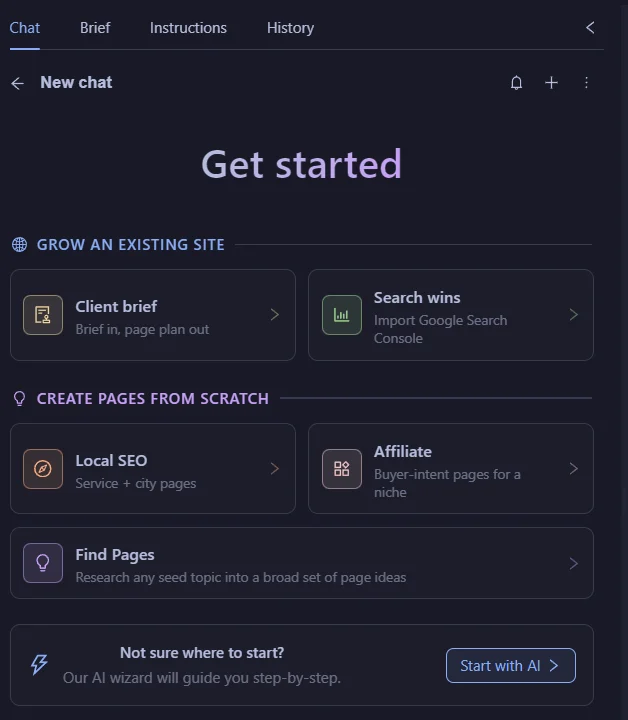
Click ‘New SEO Workspace'.
Pick ‘Client brief' under ‘Grow an existing site'.
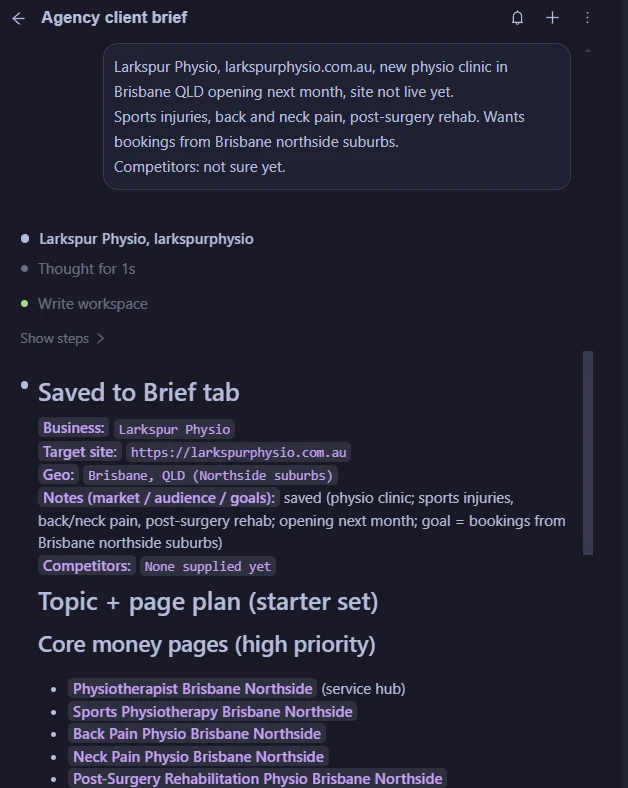
Paste what you know about the client. Rough is fine.
Check the brief
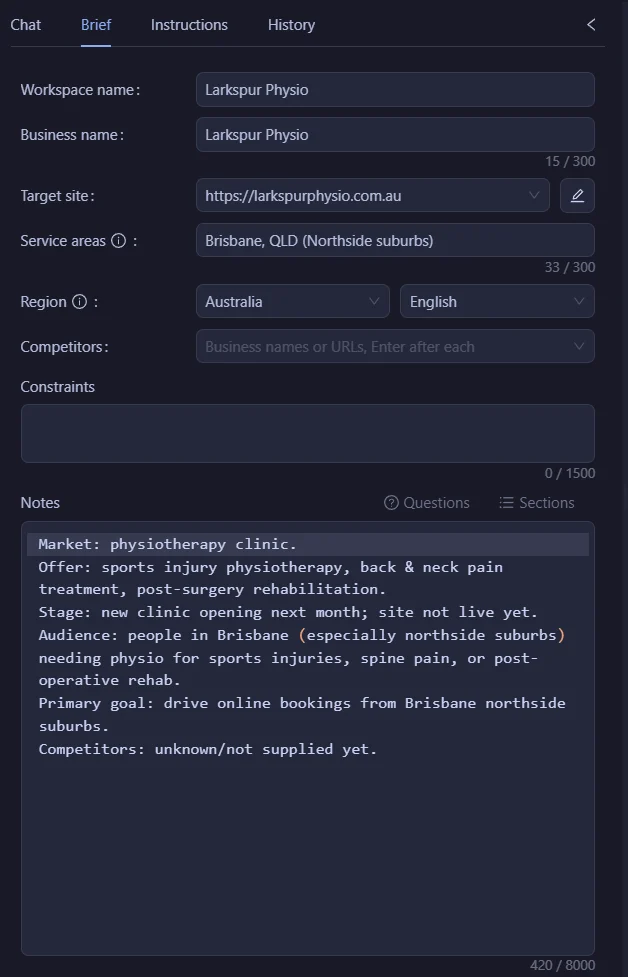
Open the ‘Brief' tab.
The agent fills in ‘Business name', ‘Target site', ‘Service areas' and ‘Notes' from your notes.
Market, audience and goals go in ‘Notes'. Add ‘Competitors' if you know them.
Check ‘Service areas'. Pages that name a place there get a local template.
Fix anything that is wrong. Every page is planned and written from this brief.
Research the market
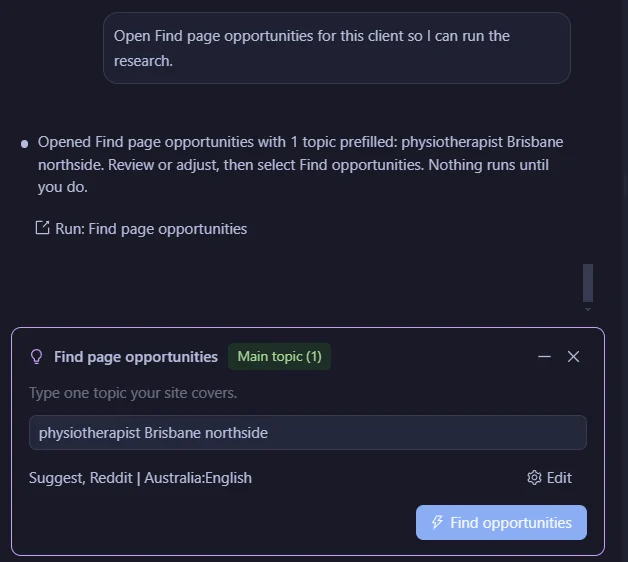
The agent opens ‘Find page opportunities' with the topic filled in.
Click ‘Find opportunities'.
SCM pulls search suggestions from Google, Bing and DuckDuckGo, plus Reddit threads.
Turn on ‘PAA' for People Also Ask questions, or ‘SERP' to read competitor page headings.
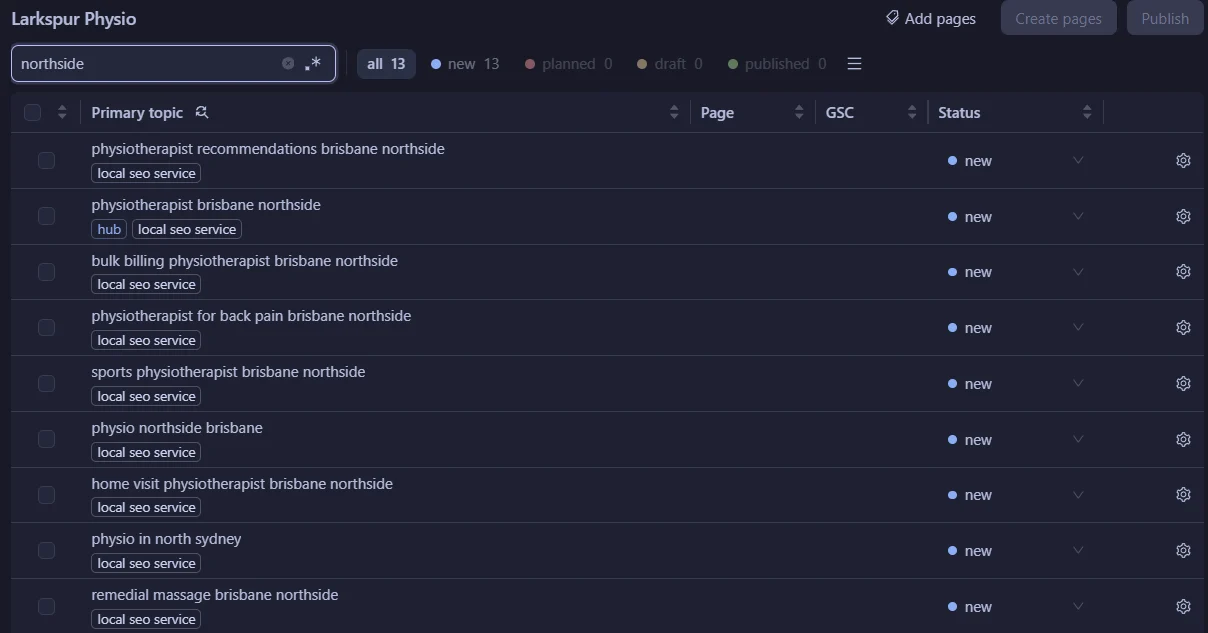
It groups the searches into pages, each under a hub page.
Each row gets a template. For a clinic that serves Brisbane northside, the rows get ‘local seo service'.
Plan the first pages
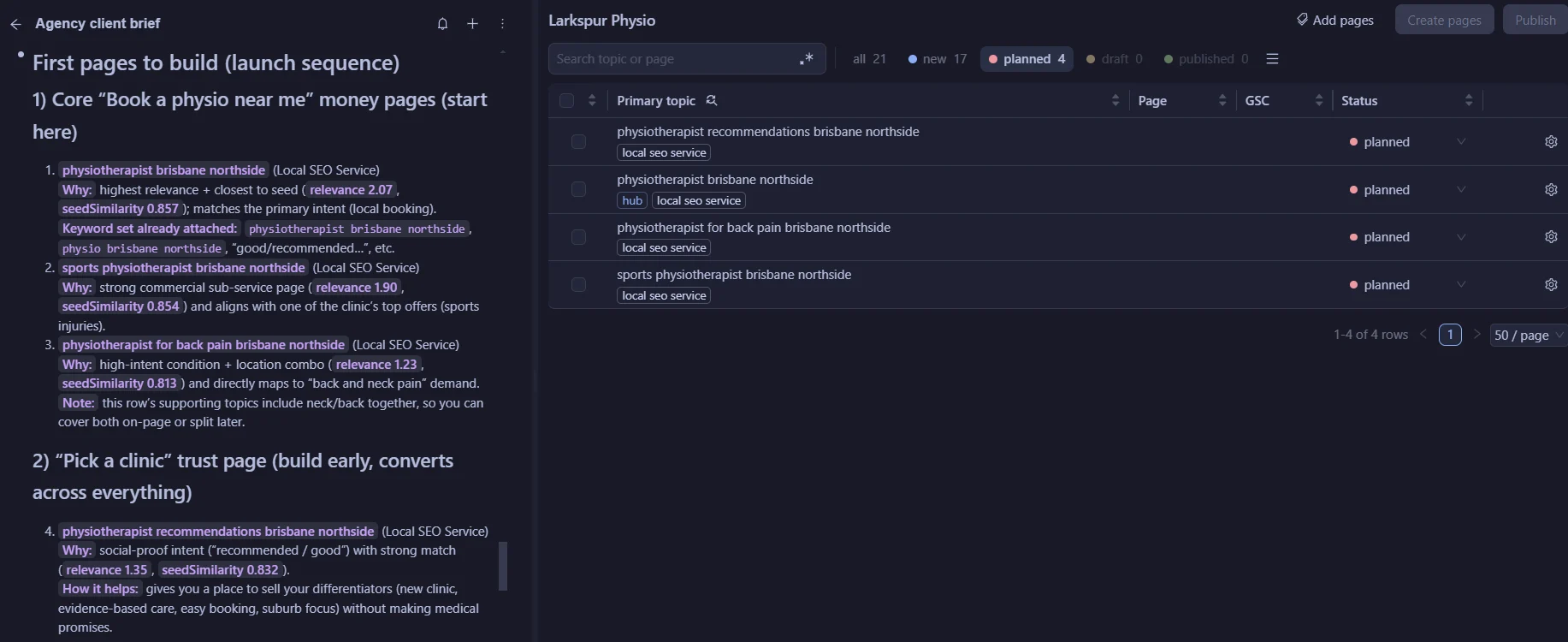
Ask the agent to plan the first pages.
It picks pages that fit the goals in the brief, marks them ‘planned' and says why.
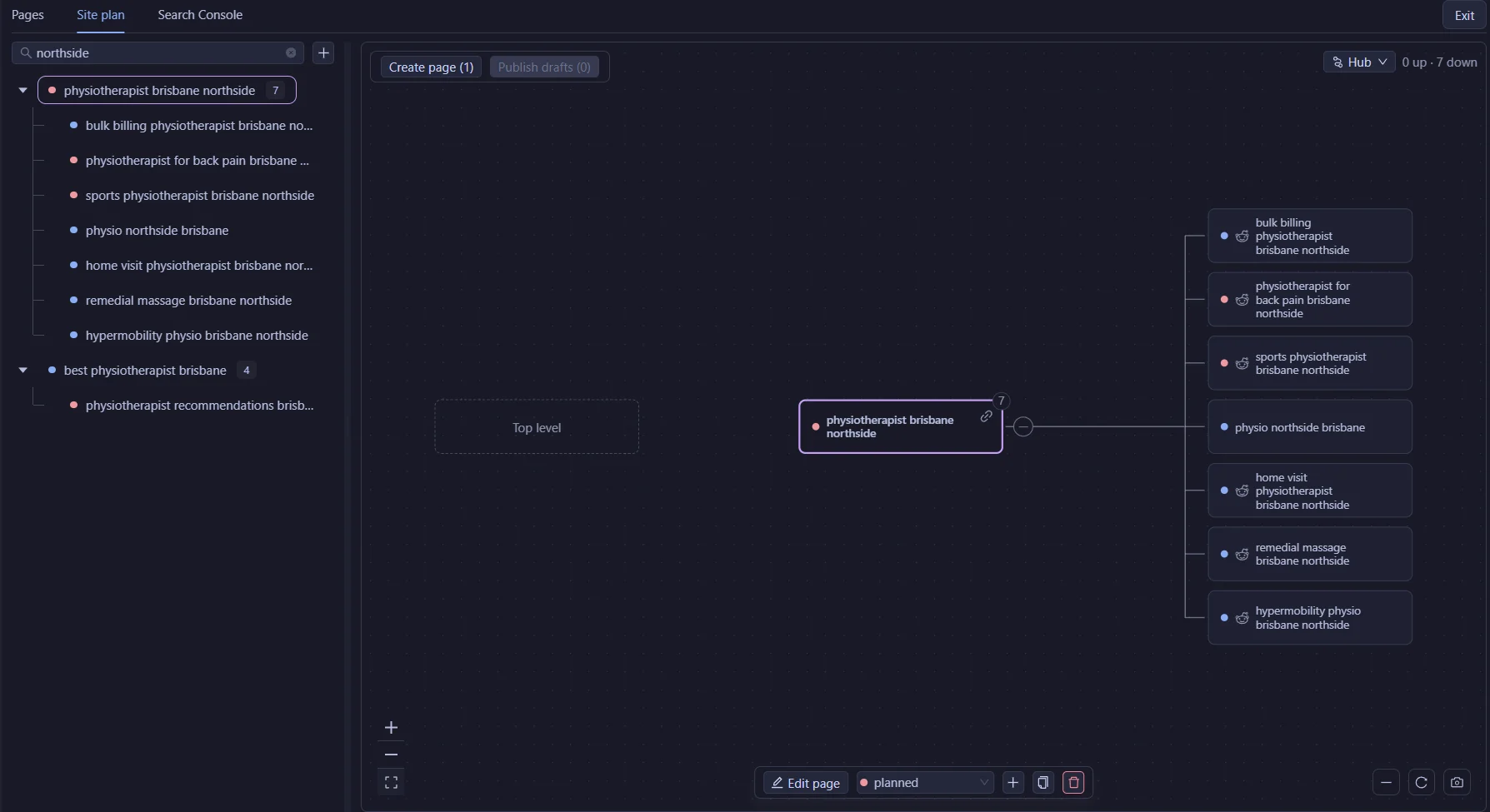
Open the ‘Site plan' tab to see the client site as a tree.
Try the Client brief workflow in the free 14-day trial
Write the client page plan
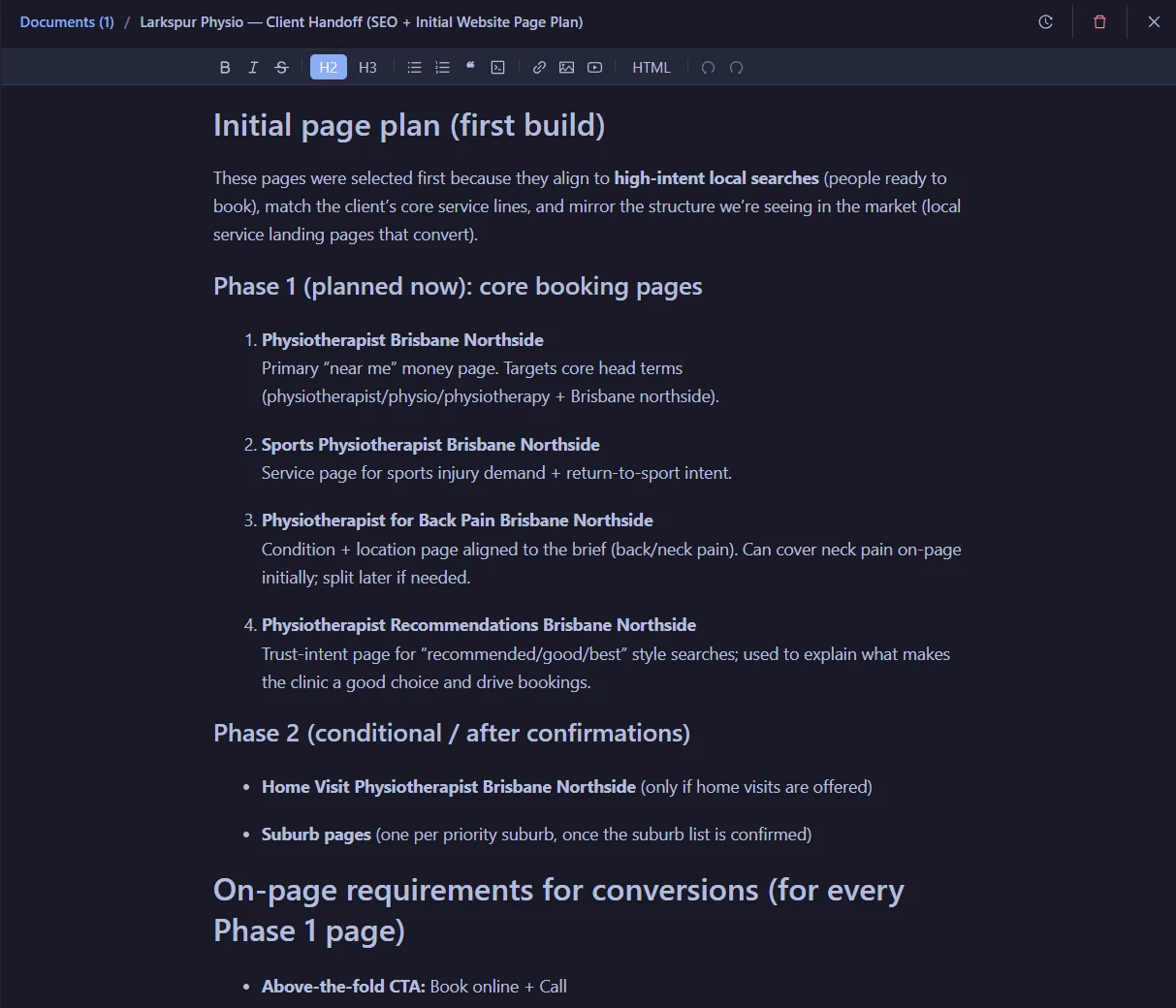
This is the part your client sees.
Click ‘Write handoff doc', or ask the agent for the handoff doc.
The agent writes it from the brief and the site plan.
It saves it under ‘Documents', so you don't copy it out of the chat.
The page agent writes each page
Tick the pages you want and click ‘Create pages'.
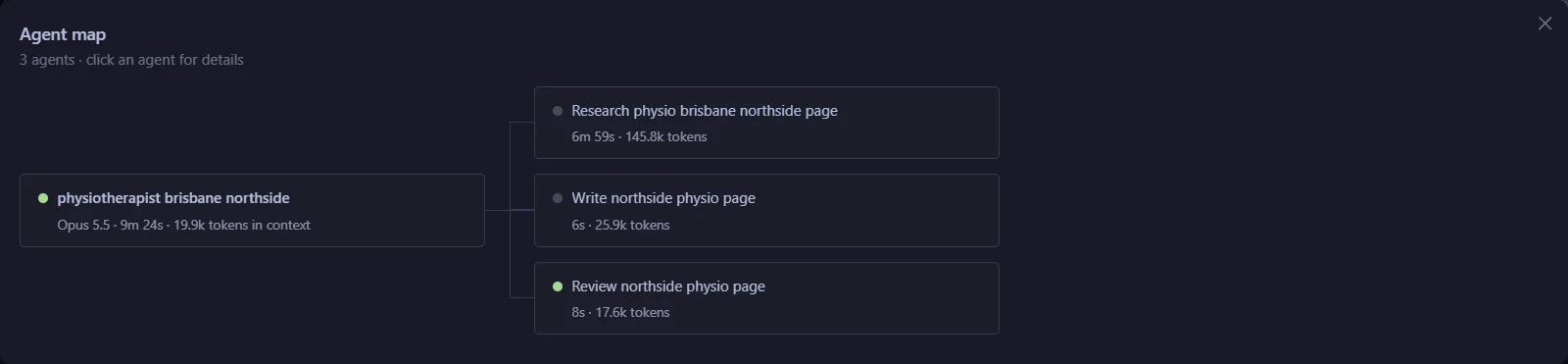
Each page gets its own page agent. It reads the client brief first.
- A researcher reads every first-page result for that search and notes where each fact came from.
- A writer drafts the page from the research.
- A reviewer checks the facts and links against their sources. It scores the page on Help, Specifics, Honest, Expertise and Focus.
The writer fixes the page until every score is 8 or more, up to 4 rounds.
Facts only the client knows come back to you as questions. Answer once and every page uses it.
The page status changes to ‘Draft' when the page is done.
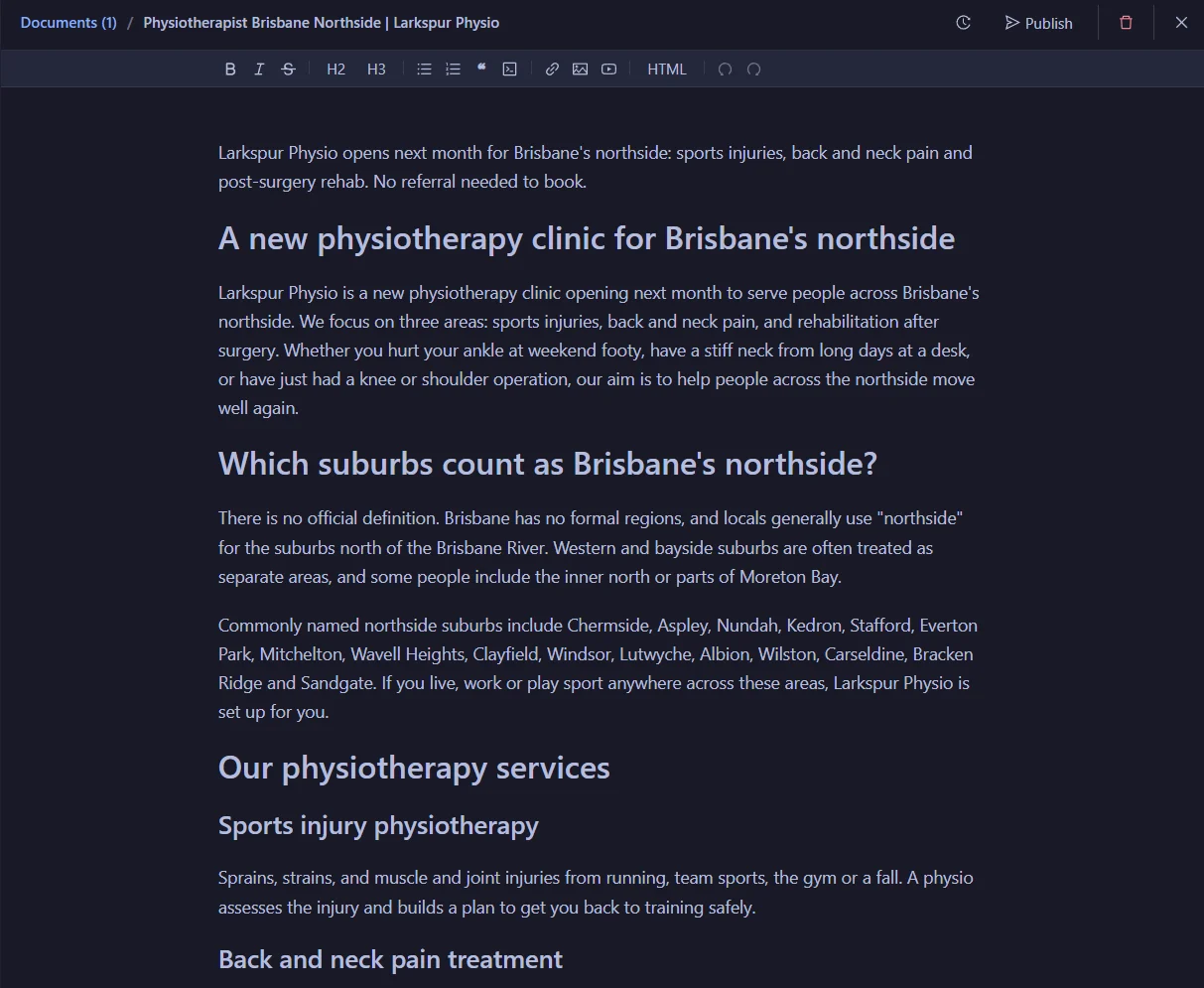
Publish to the client's WordPress
Select the pages that have a draft and click ‘Publish'.
Pick the client's site, then set the status to ‘Draft' or ‘Publish'.
Use your own AI
Pick the writer in ‘AI model'.
Use SCM AI credits, your own key eg Claude, OpenAI, Gemini, OpenRouter or DeepSeek, or a local model in LM Studio.
SCM is a desktop app for Windows, Mac and Linux.
FAQ
How much do I need to write about the client?
3 rough lines are enough for a first brief. You fix the details in the ‘Brief' tab.
Do I need a separate workspace for each client?
Yes. Each workspace is 1 client site, with its own brief, site plan and history.
What does the client get?
A page plan written for the client, saved as a document. Send it as it is or drop it into your proposal.
Does SCM write or publish pages on its own?
It writes a page when you click ‘Create' or start a run. Pages you create from the workspace wait as drafts until you click ‘Publish'. For bulk runs, a Page Pipeline that exports to WordPress with ‘Draft first' unticked publishes each page as it finishes.
Which sites can I publish to?
WordPress. SCM does not publish to Webflow, Shopify or Ghost.
What does it cost to try?
The trial is free for 14 days and includes 100,000 SCM AI credits. No card.