
SEO Content Machine turns 1 product niche into a plan of buyer pages.
It tells you which page to write first.
Why use this?
- A new niche gives you hundreds of possible pages. The hard part is knowing which 1 to write first.
- Every row is tagged as a review, a comparison or a listicle, so the page matches the question the buyer asked.
- The agent picks a first page with buying intent and plans it.
- An agent researches each page from the search results, and checks every product it names still exists.
- You test 1 page before you scale to the rest of the plan.
This is for sites where visitors compare products before they buy.
Requires a WordPress site to publish to.
The full steps are in the Affiliate workspace guide.
Start from a niche
Click ‘New SEO Workspace'.
Pick ‘Affiliate' under ‘Create pages from scratch'.
Type the niche eg “robot vacuums” and click ‘Find opportunities'.
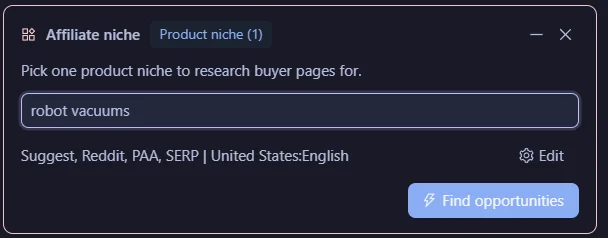
SCM pulls search suggestions from Google, Bing and DuckDuckGo, plus Reddit threads.
Turn on ‘PAA' for People Also Ask questions, or ‘SERP' to read competitor page headings.

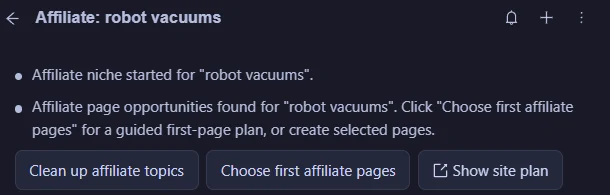
It groups the searches into pages, each under a hub page.
Match the page to the question
Each row gets a tag for the kind of page that search needs.
- “best” or “top” gets a listicle.
- “vs” or “compare” gets a comparison.
- “review” or “worth it” gets a review.
A person who searches “X vs Y” wants a comparison. A review of X alone will lose them.
Let the agent pick where to start
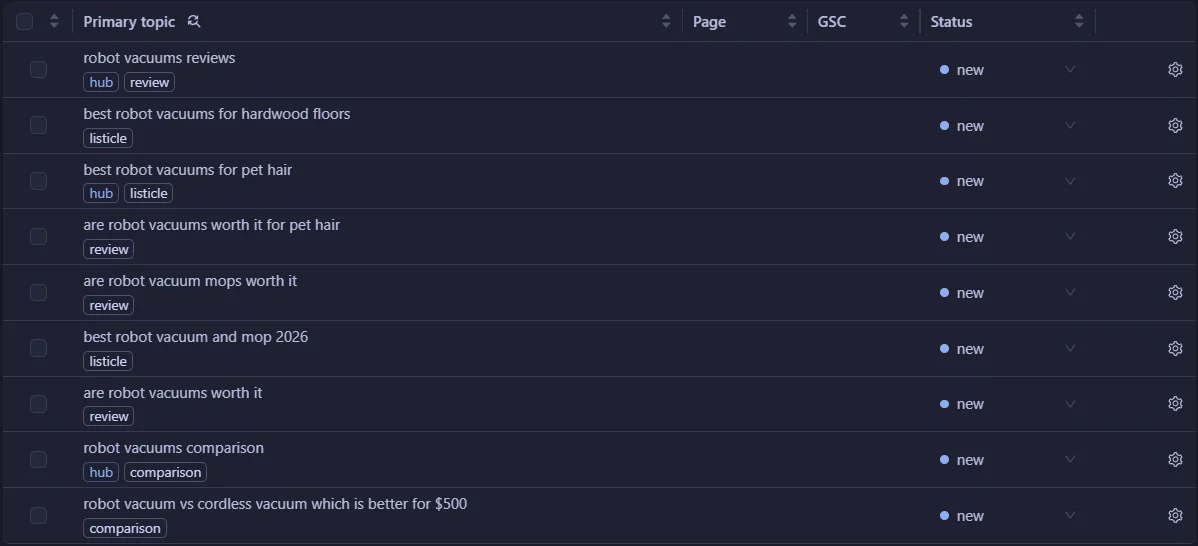
Click ‘Choose first affiliate pages'.
The agent picks 1 broad page with buying intent, gives it a template and marks it ‘planned'.
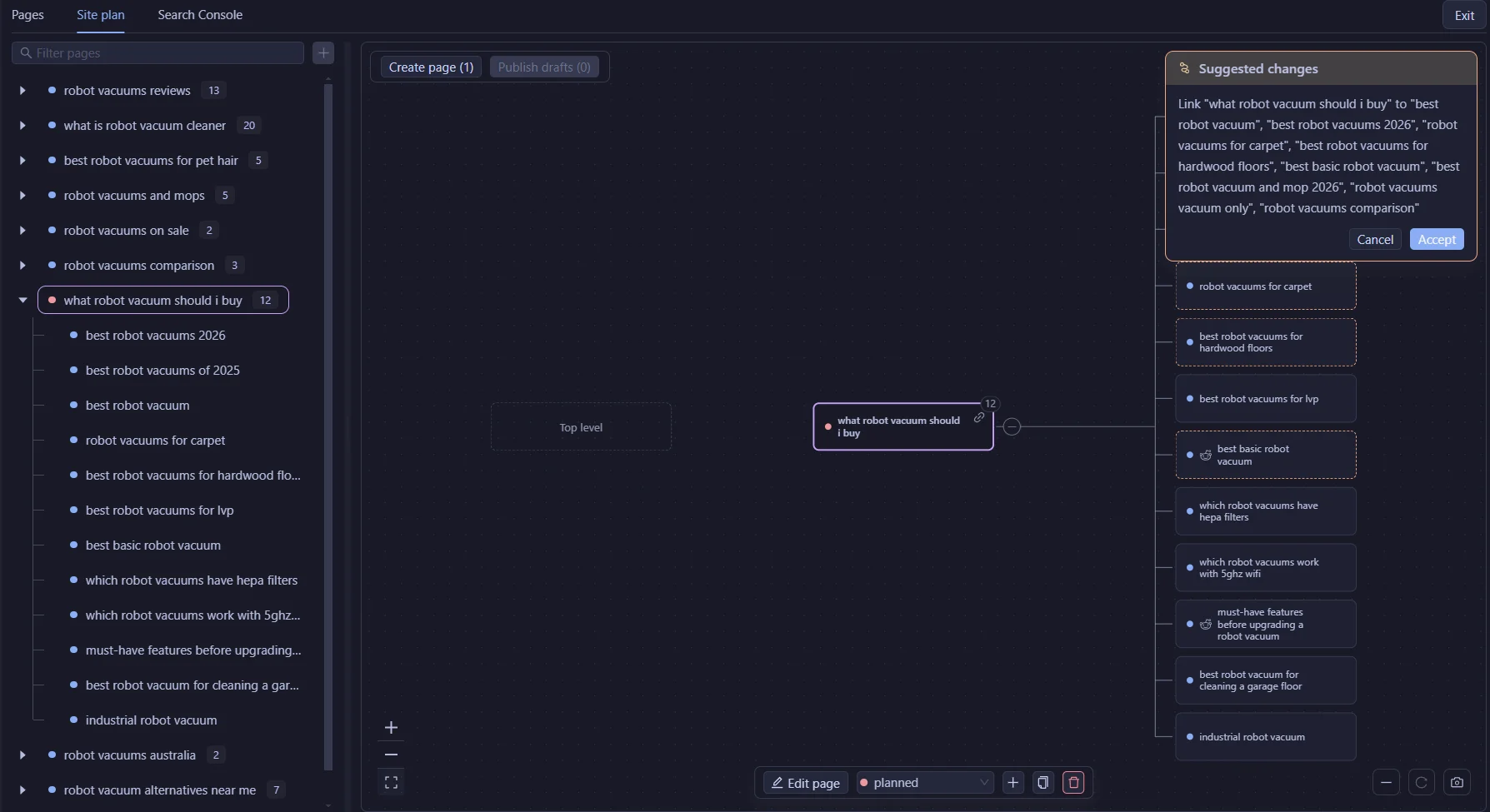
For robot vacuums it picked the guide “what robot vacuum should i buy”, which links out to the “best X” listicles.
Disagree? Tick another page instead.
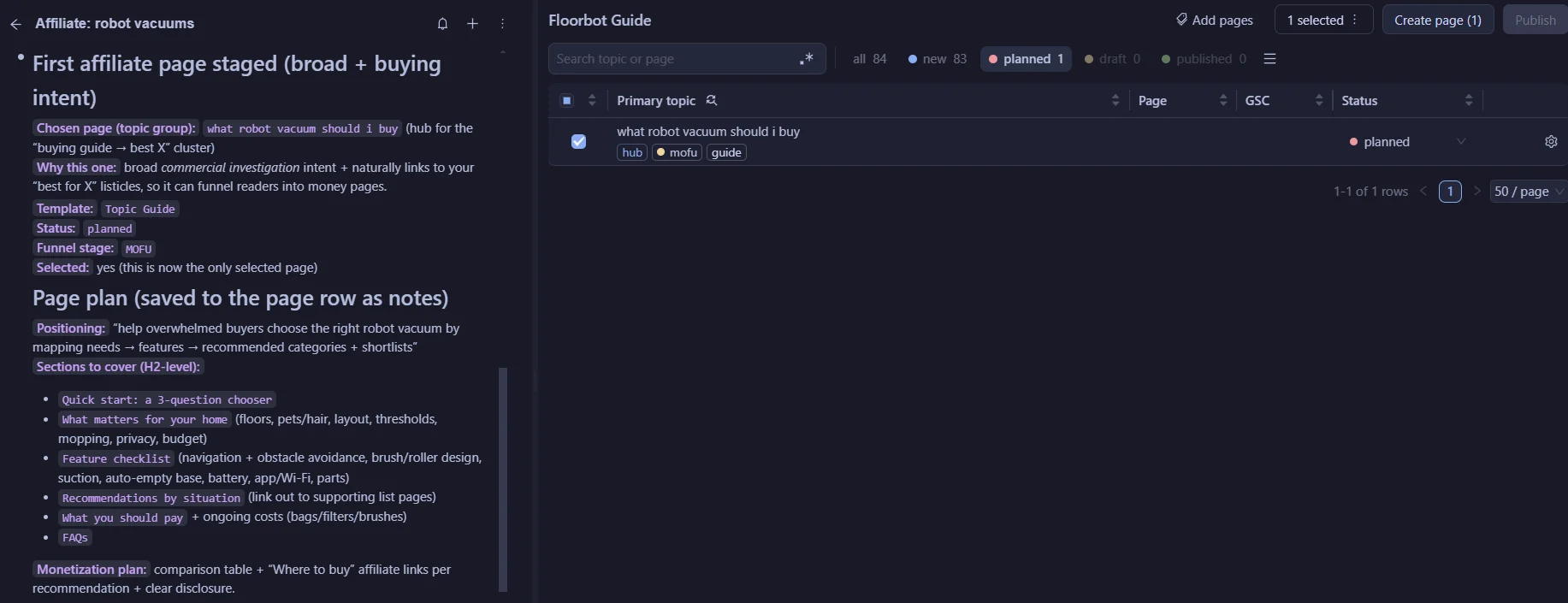
Open the ‘Site plan' tab to see each hub with its supporting pages.
The agent suggests the links from the hub to its supporting pages. Click ‘Accept' to add them.
Try the Affiliate workflow in the free 14-day trial
The page agent writes the page
Tick the planned page and click ‘Create pages'.
Each page gets its own page agent, with a skill for its page type.
- A comparison puts 2 or 3 options side by side, with a comparison table near the top and which to choose in which case.
- A review judges 1 product from what happens in use, and says who it suits and who it does not.
- A listicle opens with how the items were chosen.
The agent splits the job between 3 sub agents.
- A researcher reads every first-page result and checks each product it recommends still exists on its maker's site.
- A writer drafts the page from the research.
- A reviewer checks every claim against the pages it came from. A product claim no source states is a blocking fail.
The writer fixes the page until every score is 8 or more, up to 4 rounds.
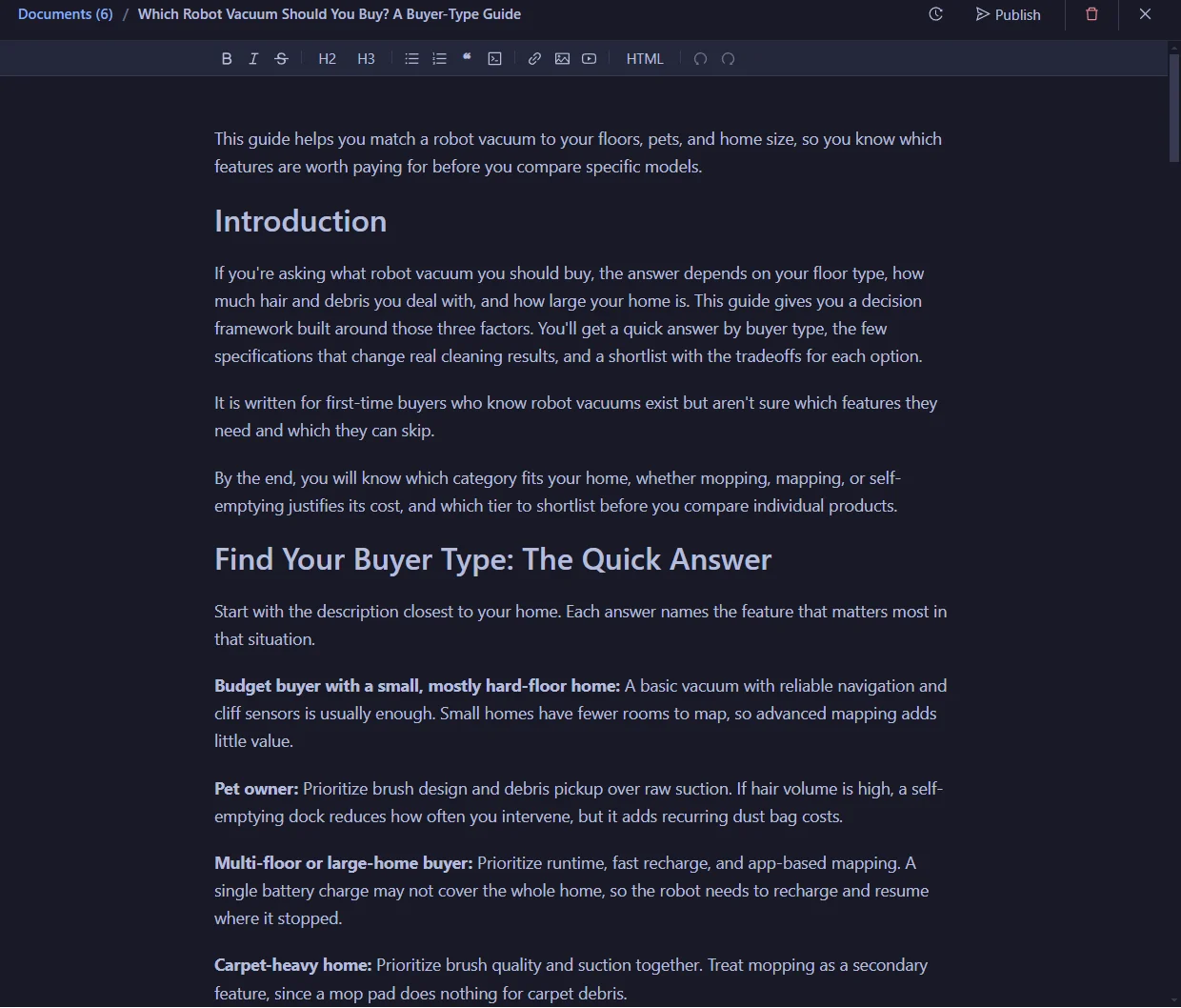
The page status changes to ‘Draft' when the page is done.
Publish to WordPress
Add your affiliate links in the draft editor.
Select the page and click ‘Publish', then pick your site and the status.
Start with 1 page, see how it does, then go back to the plan for the next one.
Use your own AI
Pick the writer in ‘AI model'.
Use SCM AI credits, your own key eg Claude, OpenAI, Gemini, OpenRouter or DeepSeek, or a local model in LM Studio.
SCM is a desktop app for Windows, Mac and Linux.
FAQ
How many pages should I write first?
Start with 1. The agent plans a first page with buying intent, and you test it before you scale.
What page types does SCM plan?
Reviews, comparisons and listicles for buyer searches, plus guides and how to pages for the rest.
Does SCM add my affiliate links?
No. Add them in the draft editor before you publish.
Does SCM publish the pages on its own?
It can. Pages you create from the workspace wait as drafts until you click ‘Publish'. For bulk runs, a Page Pipeline that exports to WordPress with ‘Draft first' unticked publishes each page as it finishes.
Which sites can I publish to?
WordPress. SCM does not publish to Webflow, Shopify or Ghost.
What does it cost to try?
The trial is free for 14 days and includes 100,000 SCM AI credits. No card.